Categories
Security Router

2025-12-13: New FRITZ!Box Lab Versions – The Most Important Improvements at a Glance

Why I continue to recommend them as an IT Consultant

The latest lab versions for FRITZ!OS 8.10 clearly show where AVM is heading: the FRITZ!Box is becoming even more stable, versatile, and user-friendly — ideal for private households and small and medium-sized enterprises (SMEs).

⭐ Key Innovations at a Glance
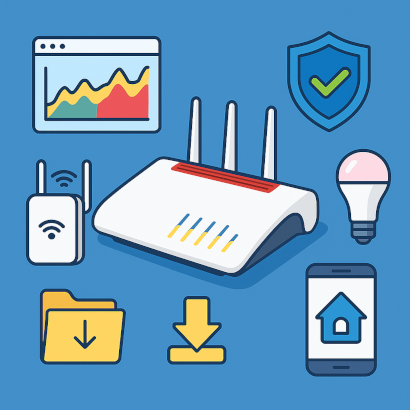
📊 New Online Monitor

A clearer overview of network load, top bandwidth consumers, and usage peaks — perfect for quick diagnostics.

🔄 Internet Failover (Failsafe)

Automatic switch to mobile networks or alternative connections if the main line fails. A huge advantage for home offices, shops, and businesses relying on constant connectivity.

🕸️ Smarter Mesh Wi-Fi

FRITZ!Repeaters now automatically optimize their uplinks — resulting in more stable, self-adjusting Wi-Fi coverage.

🧠 Smart Home Enhancements

New routines, more triggers, improved Zigbee control — making smart home automation more flexible and powerful.

📁 New FRITZ!NAS Upload Sharing

Easily share folders via a link — no user accounts required. Perfect for exchanging photos, documents, or project files.

👶 Simplified Parental Controls

More clarity, easier configuration, additional time tickets.

🔌 Per-Port Energy Saving

EEE can now be configured for each LAN or WAN port individually.

🔧 Stability and Security Improvements

Numerous optimizations across Wi-Fi, system, VPN, user interface, and IPv6.

🔐 Secure Connections with Integrated VPN Technologies

One of the most important features — especially for small and medium-sized enterprises (SMEs) — is FRITZ!Box’s strong built-in VPN capabilities:

  • WireGuard support — fast, modern, and secure
  • IPSec support for professional environments
  • Very easy setup, even for non-technical users
  • Broad compatibility with Windows, macOS, Linux, iOS, and Android
⚡ Impressive VPN Performance on New Models

The newest devices, especially:

  • FRITZ!Box 7690 (DSL)
  • FRITZ!Box 5690 Pro (Fiber)

achieve excellent VPN throughput rates.
This enables powerful remote workstations, fast access to company files, and reliable encrypted site-to-site connections — without additional hardware or licensing costs.

💼 Why the FRITZ!Box Is Ideal for Private Homes and Small and Medium-Sized Enterprises (SMEs)
  • Long update cycles
  • Very user-friendly interface
  • All-in-one device: Internet, Wi-Fi, telephony, NAS, Smart Home, VPN
  • High reliability and uptime
  • Data protection made in Germany
  • Strong VPN performance out of the box
🧰 Conclusion

As an IT Consultant, I have been deploying FRITZ!Box devices in households and in small and medium-sized enterprises (SMEs) for many years — for good reason. These devices are reliable, versatile, secure, and maintained with long-term updates.
The new lab features once again prove AVM’s continuous development philosophy. With enhanced internet failover, powerful WireGuard VPN integration, and improved Mesh Wi-Fi, models like the FRITZ!Box 7690 and 5690 Pro are excellent solutions for modern requirements.

For my clients, this means: stable connections, high security, and a network that simply works.

🔗 Source of the Lab Versions

https://fritz.com/pages/fritz-labor

https://download.avm.de/labor/Smart24P2/5690Pro/infolab_de.txt
Categories
Backupsolutions Cloud Server

2025-12-06: Rethinking Data Security – with Synology DiskStation and Hetzner Cloud

As an IT service provider, I support private clients as well as small and medium-sized companies that need a reliable, affordable and professional solution to protect their data. My goal is simple: Never lose data again! 🛡️

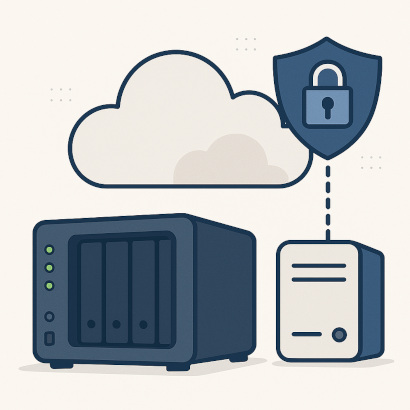
To achieve this, I rely on a combination of a Synology DiskStation installed on-site and the Hetzner Cloud as an external backup location. This architecture is flexible, low-maintenance and meets modern security requirements.
💡 Of course, things can be set up in a much more technical way – with BorgBackup, SSH tunnels or complex backup scripts. But for my clients, this setup is the most straightforward, transparent and practical solution.

Why I rely on Synology DiskStation 🏠💾

The DiskStation offers a robust, user-friendly platform for local data storage. For my clients, this means:

  • a central place for all files
  • high reliability
  • automated backups
  • clear user and permission management
  • peace of mind knowing their data is stored in a controlled environment

It works perfectly for private clients as well as for businesses with several workstations – without unnecessary complexity.

External Protection with Hetzner Cloud 🌍🗄️

To protect data outside the home or office environment, I use the Hetzner Cloud as a second, geographically separate backup location. This ensures that backups remain available even in the event of fire, theft, hardware failure or ransomware.

💡 The key benefit: Local protection + external encrypted copy = significantly reduced risk.

Data Protection & Executive Liability – NIS2 in Focus ⚖️📘

For small and medium-sized companies, the topic of data backups is becoming increasingly important due to the new NIS2 directive. Managing directors must demonstrably implement appropriate technical measures to prevent outages, data loss and security incidents.

Insufficient or missing backups can soon lead not only to operational downtime but also to personal liability for company directors.

With the described backup strategy, I address exactly this requirement for my clients:
🔒 clear structure,
🔄 automated processes,
📂 traceable backup histories.

Who Is This Solution For? 👨‍💼🏢🏡

I use this approach for:

  • private clients who want to safeguard their documents and memories
  • self-employed professionals and small businesses wanting to minimize economic risks
  • medium-sized companies required to comply with NIS2 and strengthen their IT resilience

Every client receives a stable, affordable and long-term solution.

Conclusion ⭐

The combination of a Synology DiskStation and Hetzner Cloud gives my clients a modern, future-proof and legally compliant backup strategy. It protects data both locally and externally, reduces risks and strengthens IT security – whether in private households, small businesses or medium-sized companies.

Data loss? Not with this solution. 🔒✨

Categories
Speedtest Server

2025-12-01: New Free Internet Speed Test Now Available

Fast and stable internet connectivity has become essential—whether for remote work, video conferences, streaming, or everyday browsing. To provide accurate and independent performance measurements, a dedicated Internet/DSL/Fiber Speed Test is now available free of charge.

👉 Start the speed test:

https://speedtest.it-service-commander.de

🎯 Why a Custom Speed Test?

Internet performance often feels slower than expected. Websites load sluggishly, streams buffer, or downloads take longer than they should. In many cases, it is helpful to measure the actual bandwidth being delivered.

The new speed test offers:

  • 🔍 Real-world performance data of the current connection
  • Independent results without ads or unnecessary tracking
  • 📊 Instant insights into download, upload, and ping values
  • 🧪 Precise diagnostics for DSL and fiber connections
🛠️ How the Speed Test Works

The test runs entirely in the browser and requires no additional software. Once started, it automatically evaluates the available bandwidth.

Measured values include:

  • 📥 Download speed – incoming data rate
  • 📤 Upload speed – essential for sending large files or using cloud services
  • 🏓 Ping / latency – important for gaming, video calls, and real-time applications

The results are clearly presented and allow for quick evaluation of connection quality.

💡 Use Cases for the Speed Test
  • 🏠 Checking home network performance
  • 🧑‍💻 Assessing remote-work suitability
  • 🎮 Evaluating gaming conditions
  • 📺 Troubleshooting streaming issues
  • 📞 Testing stability for online meetings
📌 Conclusion

The new speed test at speedtest.it-service-commander.de provides a reliable, free, and easy-to-use tool for determining the actual speed of an internet connection. No registration is required, and the service is available at any time.

Categories
Security Server

2025-11-29: More Security in Everyday Digital Life: Why I Rely on Two-Factor Authentication

As an IT consultant, I experience firsthand how dramatically the digital threat landscape has evolved in recent years. Cyberattacks are no longer rare incidents but a daily risk. Data breaches, compromised accounts, and automated brute-force attempts clearly show:
A password – no matter how clever – is no longer enough.

Why Passwords Alone Are No Longer Sufficient

Passwords are a security factor based on knowledge — something I know.
But this factor has become increasingly vulnerable:

  • Passwords appear in massive databases of leaked login credentials.
  • Attackers use automated tools to guess even complex combinations.
  • People reuse passwords across multiple platforms.
  • Phishing attempts have become highly sophisticated.

That last point is especially critical: even a strong password becomes useless if it is entered into a perfectly forged phishing page. That’s where two-factor authentication truly shines.

What Two-Factor Authentication Really Provides ✔️

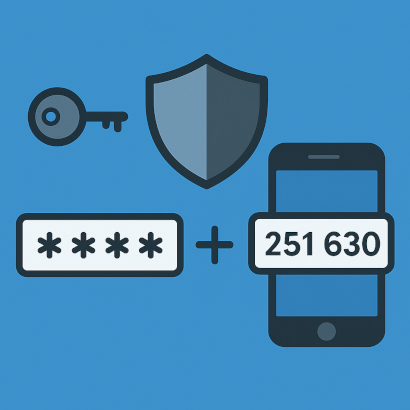
2FA adds a second layer of protection by introducing something I have or am.
Common second factors include:

  • A one-time password (OTP) from an authenticator app 📱
  • A hardware security key (e.g., YubiKey)
  • A biometric factor such as fingerprint or face recognition

This makes a stolen password practically worthless. Even if an attacker knows it, they still cannot access the account without the additional factor.

I like to describe it this way:
The password is the key, but the second factor is the additional deadbolt on the door. 🔒➕

A Real-World Example: Protection Against Phishing 🎯

Some time ago, a client told me about an email that looked exactly like a message from a well-known cloud provider — same layout, same colors, same wording.
He entered his password before realizing it was a phishing site.

Thankfully, because of 2FA, no harm was done.

During login, the attacker would have needed a one-time code generated only on the client’s smartphone — a code valid for just 30 seconds. Without that code, the compromised password was useless.

Authenticator apps like Synology Secure SignIn, Microsoft Authenticator, or Google Authenticator are easy to set up and highly effective. The OTP codes remain stored locally on the device, offering excellent protection against remote attacks. ⏱️🔐

For the Pros: Running a Self-Hosted Two-Factor Server 🧩

In many projects, I meet advanced users and companies who prefer complete control over their authentication infrastructure. Fortunately, modern tools make this possible.

One powerful solution is the open-source software 2Fauth.
Combined with Docker, it allows the operation of a fully self-hosted OTP server, enabling complete management of authentication tokens within one’s own environment.

Of course, this option is geared toward experienced users who understand how to securely run and maintain such services. But it demonstrates how flexible modern security concepts have become.

Conclusion

I am convinced that two-factor authentication is one of the most essential security measures in today’s digital world.
It is simple, effective, and protects against the most common attack scenarios — whether in everyday personal use, business environments, or highly sensitive systems.

🔑 Stronger protection
🛡️ Lower risk
🚀 High impact

With a second factor, a simple password-based login becomes a modern, resilient security system.

📞 As an IT consultant, I am happy to support both private and business clients in planning, setting up, and implementing two-factor authentication — from basic OTP apps to complex, self-hosted authentication infrastructures.

Categories
PDF OpenSource

2025-11-21: BentoPDF – Fast, Secure PDF Editing in Your Browser

BentoPDF is a modern, privacy-friendly tool for editing PDF files directly in your browser. Whether you need to merge, split, compress, or convert documents — everything works online without any installation or registration 🖥️✨.

🔧 How BentoPDF Works

All BentoPDF tools run entirely client-side. This means your files are never uploaded to any server — every operation is performed locally in the browser.
Simply select a PDF, choose the desired function, and download the result immediately.
PDF in, result out 📤➡️📥.

🔒 Security Through True Local Processing

BentoPDF puts a strong focus on privacy and data protection:
👉 No file uploads
👉 All processing happens locally in your own browser
👉 No tracking, no login, no external servers

Even highly sensitive documents remain fully protected at all times 🔐🛡️.

🎉 Now Available for Free

BentoPDF is now available completely free of charge via the following website:
👉 https://pdf.it-service-commander.de

Give it a try and explore the powerful PDF tools — fast, secure, and with zero data transfer 🚀😊.

Categories
Cloud DNS Security Server Uptime

2025-11-19: Cloudflare down – Hetzner remains unshakable!

Cloudflare is one of the largest internet service providers in the world. Many websites rely on Cloudflare because it offers three major advantages:

  • 🚀 Faster loading times thanks to servers distributed around the globe
  • 🛡️ Protection against attacks, such as DDoS
  • 🔁 Stable availability, even under heavy traffic

Because Cloudflare delivers these features efficiently and at a good price, an enormous number of websites depend on it. But that popularity also creates a risk: When Cloudflare goes down, many sites go down with it.

🧩 Why self-hosted servers are often less affected

If you host your website or application on your own server, you’re far less dependent on big platforms like Cloudflare. That means:

🔐 More control over your own security

With simple measures such as:

  • 🔑 SSH keys instead of simple passwords
  • 🚫 Firewalls to block unwanted access
  • 🛡️ Fail2Ban, which automatically blocks repeated attack attempts

you can secure your server very effectively—without relying on external security services.

🕹️ More control & more reliability

I host my servers at Hetzner in Falkenstein, Germany 🇩🇪 — and during the Cloudflare outage, not a single second of downtime occurred.
Everything continued to run perfectly.

To me, this is a perfect example of digital sovereignty in Germany: Not depending on large U.S. providers, but maintaining your own stable, local infrastructure.

⚠️ Of course, nothing is 100% risk-free

✨ Running your own server doesn’t mean nothing can ever go wrong.
Self-hosted servers can also experience:

  • outages 🛑
  • overload 📈
  • network or power issues 🔌

But the key difference is: you have the responsibility— and the control.

🎯 Conclusion

The Cloudflare outage shows how vulnerable large, centralized internet services can be. If you host your servers yourself—such as at Hetzner in Germany—and secure them properly, you often end up with a more stable and sovereign solution. 🧭

Categories
Cloud OpenSource Security Server

2025-11-13: New Service: PrivateBin – Secure File & Message Sharing

https://share.it-service-commander.de

In modern IT security, strong passwords and firewalls are just part of the story. Equally important is how sensitive information is shared. To meet this need, I am introducing a new service: PrivateBin – a fully encrypted, secure platform for sharing files and messages.

🔒 What is PrivateBin?

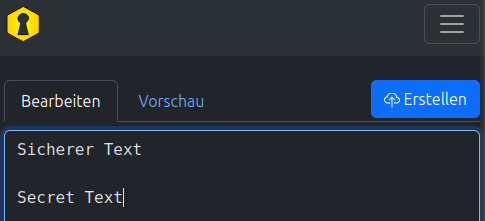
PrivateBin is a client-side encrypted paste and file-sharing service designed to securely exchange confidential information.
Unlike traditional upload or paste platforms, PrivateBin performs encryption directly in your browser before any data reaches the server.

This means:

  • The server cannot read the contents
  • Encryption keys never leave the client
  • Only encrypted data blobs are stored
  • Decryption is only possible with the key embedded in the generated link

In other words, PrivateBin operates as a zero-knowledge service. As the service provider, I technically cannot access or view any uploaded content.

📦 What Benefits Does My PrivateBin Service Offer?

To ensure the highest level of security and usability, the deployed system has been enhanced with several important features:

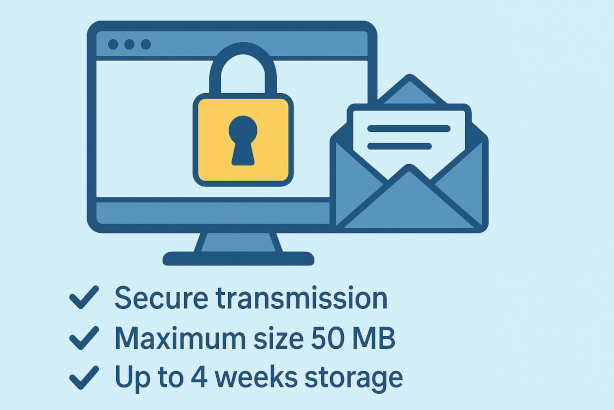
✔ Secure Transmission

All data is encrypted client-side and transmitted via HTTPS.

✔ Protected Storage

Only encrypted data is stored on the infrastructure — completely unreadable to anyone.

✔ File Uploads up to 50 MB

Ideal for sharing documents, diagnostic logs, confidential information, or larger technical files.

✔ Limited Retention

Files and messages are automatically deleted after 4 weeks — permanently and irreversibly.

✔ Optional Password Protection

Each paste or file can be secured with an additional password for extra peace of mind.

✔ No Registration Required

The service is available instantly — no accounts, no personal data collection, no tracking.

📁 Use Cases for Businesses & Teams
  • Securely sharing credentials
  • Exchanging confidential client documents
  • Sending system logs or diagnostic outputs
  • GDPR-compliant information transfer
  • Project communication without email risks
  • Safe data exchange with external service providers
  • Temporary sharing of sensitive files

PrivateBin is especially useful whenever traditional email or messaging tools are too risky or not appropriate.

🔧 Why I Provide This Service

As an IT service provider, I frequently encounter situations where clients need to share confidential information with me or within their teams.
Sending such content through insecure platforms — or via plain-text email — introduces unnecessary security risks.

By offering PrivateBin, I provide a secure, controlled, and modern method for exchanging sensitive data without requiring any additional software installations.

🚀 Available Now

The service is available immediately and can be used at any time.
If needed, I can also deploy PrivateBin as a dedicated in-house solution, customized with your company’s branding, policies, and security requirements.

Here you will find PrivateBin:

https://share.it-service-commander.de

Categories
Blog Messenger Security Server

2025-11-03: free UnifiedPush Service with NTFY

🔧 I Run My Own Push Service – Without Google or Apple

As an IT service provider, I value privacy, control, and independence. Most apps on Android or iOS rely on the major cloud services from Google (Firebase Cloud Messaging) or Apple (APNS) for their notifications.
These systems are convenient—but they also mean that every notification travels through external servers.

I wanted to do things differently: privacy-friendly, transparent, and fully under my own control.
That’s why I’ve set up my own push service based on NTFY.

🌐 What Is NTFY?

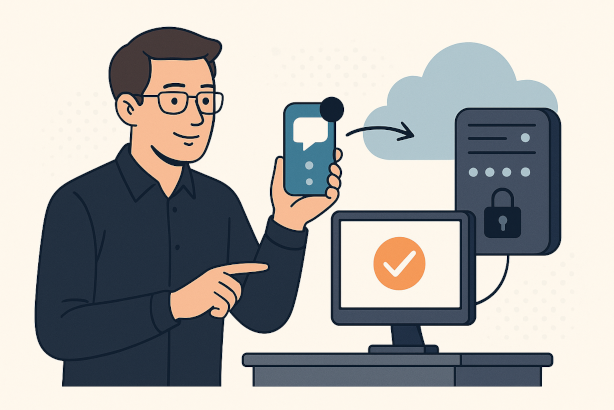
🧠 NTFY is a free and open-source software solution that sends push notifications over the internet—without a central provider, simply via HTTPS. You can think of it like a small private mail carrier for your apps: Instead of Google or Apple forwarding your messages, your own server takes care of it.

📲 This becomes especially powerful when combined with the open standard UnifiedPush. UnifiedPush ensures that apps on your smartphone are no longer dependent on Google services to receive messages. Instead, the apps register with your own push server—in my case:

🌍 https://ntfy.it-service-commander.de

This allows notifications (for example from messengers or email apps) to work without a Google account or Play Services.

🔒 Privacy and Security Come First

🛡️ The big advantage: All data stays on my server.

That means:

  • No connection to Google, Apple, or any other cloud provider
  • No data sharing or analysis by third parties
  • Full control over retention periods, logs, and access rights

📊 Push messages contain no actual content.
They are only small technical signals such as “New message available.” Your app then retrieves the actual encrypted content directly from the respective service (e.g., Matrix or email). This ensures complete data protection—no one but you and your app can see the content of your messages.

⚙️ How to Set Up the Service in Your NTFY App


📲 Setup is incredibly simple:

  1. Open the NTFY app (available free on F-Droid or the Play Store).
  2. Go to Settings → UnifiedPush Server.
  3. Enter my server address:
    👉 https://ntfy.it-service-commander.de

That’s it!
From now on, supported apps will automatically use this server to receive push notifications.

💡 Many privacy-friendly apps such as Element (Matrix), FluffyChat, or NextPush already support UnifiedPush.

🧰 Technical Background (Simply Explained)

💻 I run my NTFY server on a secured Linux system.
A reverse proxy (Nginx Proxy Manager) handles encrypted HTTPS connections. User self-registration is disabled, and strict limits are in place for message and attachment sizes. Uploads without authentication are completely turned off.

This ensures that the server is used solely for push notifications—not for files or chat messages. That prevents abuse and keeps communication lightweight and secure.

🚀 My Conclusion

🔒 I can now offer push notifications without relying on Google or Apple.
That gives me full control over technology and data privacy, allowing me to provide clients with a modern and secure alternative.

📡 If you value privacy, data sovereignty, and independence, running your own UnifiedPush service with NTFY is the right choice.

📥 Download NTFY and Try It Yourself

⬇️ You can download the NTFY app safely and for free here:

📱 Android (Google Play Store)
👉 Open NTFY in the Play Store

🐧 Android (F-Droid – Google-free version)
👉 Download NTFY from F-Droid

🍎 Apple iOS (App Store)
👉 View NTFY in the App Store

🛰️ Direct download from IT-Service-Commander.de

Manual installation file available for free download (for advanced users)

Connect NTFY directly to my server and start using privacy-friendly push notifications – completely free from Google or Apple services.

🛡️ “Owning your infrastructure isn’t a burden – it’s digital freedom.”
– Yours,
Tom Commander

Categories
Blog Finance Freedom

2025-10-31: October 31st – A Day of Freedom

At first glance, October 31st might simply remind people of Halloween. But for those who look deeper, it represents something far greater — a celebration of freedom. Two historic events, centuries apart yet united in spirit, make this day a symbol of intellectual and financial independence.

📜 1517: Martin Luther and the Reformation

On October 31st, 1517, Martin Luther nailed his 95 Theses to the door of the Castle Church in Wittenberg — an act that marked the beginning of the Protestant Reformation. Luther stood up against the corruption of the Catholic Church, especially the sale of indulgences, calling instead for truth, faith, and personal conviction.

🔥 That moment sparked a movement that changed the course of history. It gave individuals the courage to think for themselves and challenged the notion of blind obedience to authority. It was the birth of spiritual freedom — the idea that every person could have a direct relationship with truth and with God, without intermediaries.

💻 2008: Satoshi Nakamoto and the Bitcoin Whitepaper

Nearly five centuries later, on October 31st, 2008, another revolutionary idea emerged — this time not from a monk, but from a mysterious figure known as Satoshi Nakamoto. Amid the global financial crisis, Nakamoto released the Bitcoin Whitepaper, proposing a new kind of money: decentralized, transparent, and free from banks or governments.

⚡ Just as Luther challenged the spiritual monopoly of the Church, Nakamoto questioned the financial monopoly of centralized institutions. Bitcoin became a symbol of digital sovereignty — a tool for those who believe that control over money should belong to the people, not the powerful few.

🌍 A Day of Freedom in Spirit and Finance

October 31st thus unites two revolutions: one of faith, and one of finance. Both were born from dissatisfaction with rigid systems and driven by a yearning for autonomy, truth, and fairness.

💡 Whether a hammer striking a church door or an email containing a nine-page whitepaper, each act carried the same essence — the courage to challenge the status quo and imagine a freer world.

🔔 Conclusion

October 31st is more than Reformation Day or Halloween. It is a Day of Freedom — the freedom to think, to believe, and to build.
It reminds us that every great transformation begins with a bold idea and the courage to share it.

🕯️ From Luther to Nakamoto: Five eras, one message — Freedom begins in the mind.

Categories
Blog Office OpenSource

2025-10-20: LibreOffice – The Free and Powerful Alternative to Microsoft Office

🌿 LibreOffice is one of the world’s most popular open-source office suites – developed by a dedicated community, continuously improved, and completely free to use. It offers everything you need for office work, school, or study: word processing, spreadsheets, presentations, databases, and more. But LibreOffice is much more than just a free alternative to Microsoft Office – it represents digital freedom and open standards.

🚀 Why LibreOffice?

LibreOffice consists of several powerful applications:

  • Writer (word processing, similar to Microsoft Word)
  • Calc (spreadsheets, similar to Excel)
  • Impress (presentations, similar to PowerPoint)
  • Base (database management)
  • Draw (vector graphics & diagrams)
  • Math (formula editor)

These applications cover all areas of everyday office work – without license fees or subscription requirements.
By using open standards and formats such as ODF (Open Document Format), your files remain future-proof and independent of closed systems.

🔓 Open Formats Instead of Vendor Lock-In

While Microsoft Office relies primarily on its own closed file formats (e.g. .docx, .xlsx), LibreOffice is built on free and open standards. This means:

  • You are not tied to a specific program or company.
  • Your documents remain compatible and readable in the long term.
  • You support transparency and interoperability – key principles of digital sustainability.

Especially for schools, public institutions, and businesses, this is a decisive advantage: switching to open formats ensures greater flexibility, independence, and long-term data security.

💡 Advantages Over Microsoft Office

No license costs – LibreOffice is completely free, even for businesses.
🔧 Customizable & expandable – A wide range of extensions, templates, and design options.
🛡️ Privacy-friendly – No forced cloud connections or data collection.
🌍 Cross-platform – Works on Windows, macOS, and Linux.
🤝 Community-driven – Regular updates and open-source development ensure stability and security.

While Microsoft Office increasingly pushes users toward online subscriptions and cloud storage, LibreOffice remains local, transparent, and independent.

📦 Download LibreOffice Directly

You can download LibreOffice easily and securely directly from my server:

Installationfile free for download:

There, you will always find a latest version – safe, fast, and ad-free.

🖋️ Conclusion:

LibreOffice stands for freedom, sustainability, and control over your own data.
By choosing open formats, you strengthen digital sovereignty and reduce dependence on large software corporations.
Switching to LibreOffice is worth it – not only financially, but also as a conscious step toward a more open digital future.

More Information: https://www.libreoffice.org/